
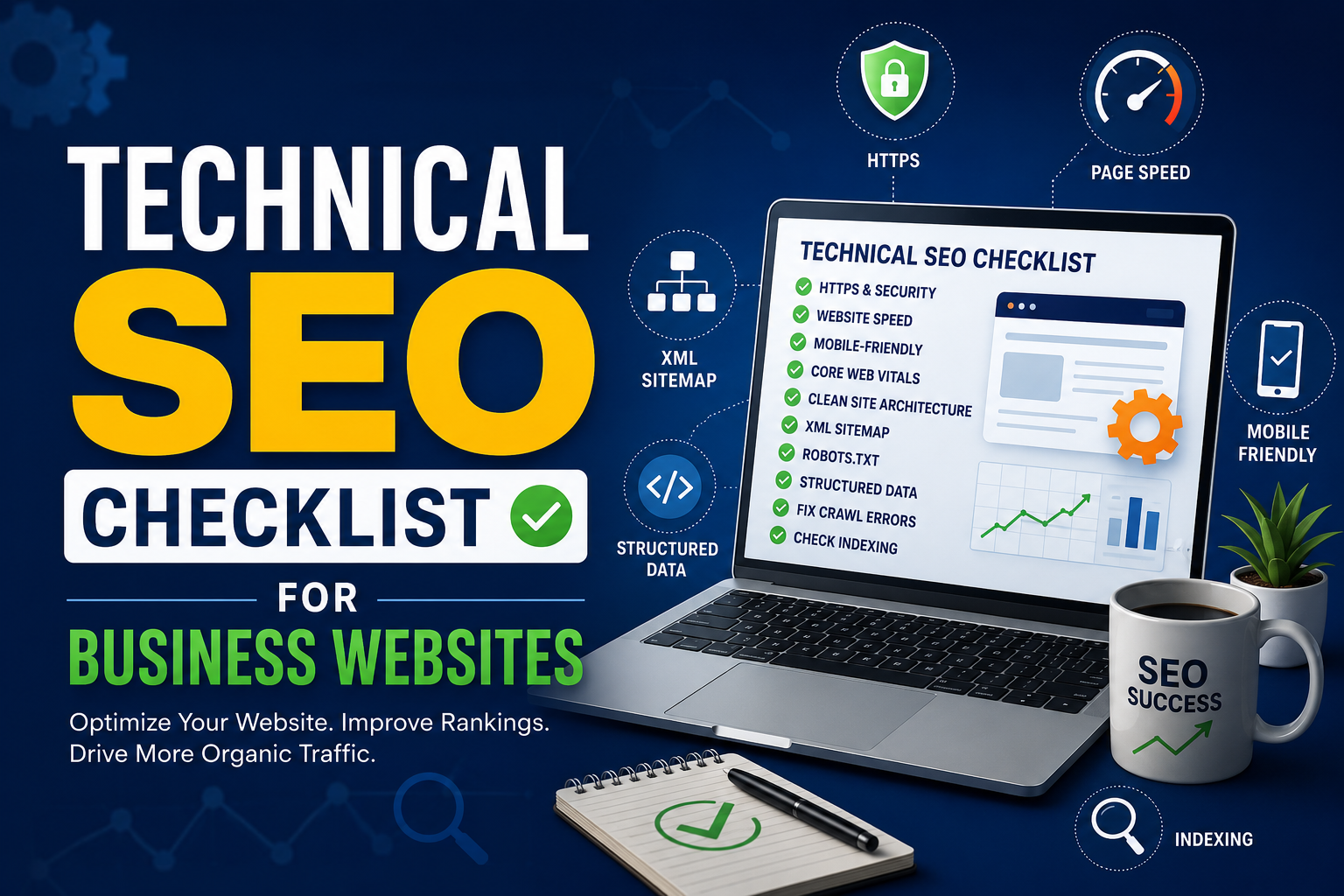
A beautiful website doesn’t automatically bring customers. You might have an attractive design, compelling content, and great products or services, but if search engines struggle to crawl, understand, or index your website, your chances of ranking well become much smaller.
This is where technical SEO comes in.
Unlike content marketing or keyword optimization, technical SEO focuses on the foundation of your website. It ensures that search engines like Google can easily access, interpret, and rank your pages. When done correctly, technical SEO improves user experience, boosts page speed, strengthens website security, and supports higher rankings over time.
Many business owners overlook technical SEO because it sounds complicated or too “developer-focused.” In reality, many technical improvements are straightforward and can make a significant difference in your website’s performance.
In this guide, we’ll walk through a complete technical SEO checklist for business websites. Whether you run a local business, an eCommerce store, or a service-based company, these best practices will help you build a stronger, search-friendly website.
Why Technical SEO Matters for Business Websites
Think of your website as a physical store. Great products and friendly staff are important, but if the entrance is blocked, the lights don’t work, and customers can’t find what they’re looking for, they won’t stay for long.
Technical SEO works in a similar way. It ensures your website is accessible, organized, and fast for both visitors and search engines.
A technically optimized website helps you:
- Improve Google rankings
- Increase organic traffic
- Enhance user experience
- Reduce bounce rates
- Speed up page loading
- Improve mobile usability
- Support future SEO efforts
- Build trust through a secure browsing experience
Google has repeatedly stated that user experience is an important ranking factor. Fast-loading, mobile-friendly, and secure websites generally perform better than slow or outdated ones.
The good news? You don’t have to fix everything overnight. Start with the essentials, then work through the checklist step by step.
1. Make Sure Your Website Uses HTTPS
Website security is no longer optional.
Every business website should use HTTPS instead of HTTP. HTTPS encrypts the connection between your website and visitors, helping protect sensitive information such as contact forms, login details, and payment data.
Google has used HTTPS as a ranking signal for years. More importantly, modern browsers warn users when a website isn’t secure, which can quickly reduce trust.
To check your website:
- Look for the padlock icon in the browser.
- Ensure every page loads over HTTPS.
- Redirect all HTTP URLs to HTTPS using permanent (301) redirects.
- Update internal links so they point to the secure version.
If you’re launching a new website, installing an SSL certificate should be one of the first tasks on your checklist.
2. Improve Website Loading Speed
People don’t like waiting. Even a delay of a few seconds can cause visitors to leave before your page fully loads.
Google also considers page speed when evaluating websites, especially on mobile devices. Faster websites typically provide a better user experience and achieve higher engagement.
Some effective ways to improve loading speed include:
Compress Images
Large image files are one of the most common reasons websites become slow.
Before uploading images:
- Compress them without noticeably reducing quality.
- Use modern formats like WebP when possible.
- Resize images to match the display size instead of uploading oversized files.
This simple step alone can dramatically improve loading times.
Enable Browser Caching
Browser caching allows visitors’ browsers to store certain website files locally. When they return, those files don’t need to be downloaded again, making the website load much faster.
Most caching plugins or server settings can handle this automatically.
Minify CSS, JavaScript, and HTML
Websites often contain unnecessary spaces, comments, and formatting in their code.
Minifying these files reduces their size without affecting functionality, helping browsers load pages more quickly.
Reduce Unnecessary Plugins
Businesses using WordPress frequently install dozens of plugins, many of which are rarely used.
Each plugin can add scripts, database queries, and extra loading time.
Review your installed plugins regularly and remove anything that’s unnecessary or outdated.
Use a Content Delivery Network (CDN)
A CDN stores copies of your website across multiple global servers.
Instead of loading content from one location, visitors receive data from the server closest to them, improving speed worldwide.
3. Ensure Your Website Is Mobile-Friendly
More than half of all web traffic now comes from smartphones and tablets. Google also uses mobile-first indexing, meaning it primarily evaluates the mobile version of your website when determining rankings.
A website that works perfectly on desktop but performs poorly on mobile can lose valuable visibility in search results.
When reviewing your mobile experience, check the following:
Responsive Design
Your website should automatically adapt to different screen sizes without requiring users to zoom or scroll horizontally.
Responsive layouts create a smoother browsing experience across all devices.
Readable Text
Visitors shouldn’t need to pinch the screen just to read your content.
Use clear typography, adequate spacing, and readable font sizes throughout the website.
Easy Navigation
Buttons and menus should be large enough to tap comfortably.
Avoid placing clickable elements too close together, especially on smaller screens.
Fast Mobile Performance
Mobile users often browse using slower internet connections.
Optimizing images, reducing unnecessary scripts, and limiting heavy animations can significantly improve mobile loading speed.
A good mobile experience doesn’t just help rankings—it also encourages visitors to stay longer and interact with your business.
4. Optimize Core Web Vitals
Core Web Vitals are Google’s user experience metrics that measure how quickly your website loads, becomes interactive, and remains visually stable.
Although they’re only one part of SEO, improving these metrics often benefits both rankings and user satisfaction.
The three main metrics include:
Largest Contentful Paint (LCP)
Measures how long it takes for the main content of a page to become visible.
Aim for under 2.5 seconds.
Interaction to Next Paint (INP)
Measures how responsive your website feels when users interact with it.
Reducing heavy JavaScript and improving server performance usually helps.
Cumulative Layout Shift (CLS)
Measures unexpected layout movements while a page loads.
Have you ever tried clicking a button, only for it to move at the last second? That’s layout shift.
To improve CLS:
- Always define image dimensions.
- Reserve space for advertisements.
- Avoid inserting content above existing elements after the page starts loading.
Improving Core Web Vitals creates a smoother browsing experience, reduces frustration, and helps visitors complete important actions such as filling out contact forms or making purchases.
5. Create a Clean Website Architecture
Website architecture refers to how your pages are organized and connected.
A clear structure helps both users and search engines find content quickly. If important pages are buried several clicks deep or disconnected from the rest of the site, they may receive less visibility.
A simple structure often works best.
For example:
Home
→ Services
→ Individual Service Pages
→ About Us
→ Blog
→ Contact
Keep important pages within three to four clicks of the homepage whenever possible.
Use descriptive navigation menus, logical categories, and consistent internal linking to guide visitors naturally through your website.
A well-organized website also makes future content expansion much easier.
6. Fix Crawl Errors
Search engines rely on bots (also called crawlers) to discover and index the pages on your website. If these bots encounter crawl errors, they may struggle to access important content. As a result, some pages might never appear in search results, no matter how good the content is.
Crawl errors can occur for several reasons, including deleted pages, incorrect redirects, server issues, or broken internal links. While a few errors are normal on large websites, ignoring them for months can gradually hurt your site’s SEO performance.
The easiest way to monitor crawl issues is through Google Search Console. The Indexing and Pages reports highlight URLs that Google couldn’t crawl or index successfully. Reviewing these reports regularly helps you identify problems before they become serious.
Some common crawl issues include:
404 (Page Not Found)
A 404 error occurs when a page no longer exists. Sometimes this is intentional, but if the page previously received traffic or backlinks, you should redirect it to the most relevant page using a 301 redirect.
Server Errors (5xx)
Server errors usually indicate hosting or server configuration problems. If Google repeatedly encounters these errors, it may reduce crawling frequency or temporarily remove affected pages from its index.
Redirect Errors
Long redirect chains and redirect loops make it harder for both users and search engines to reach the final destination.
Instead of:
Page A → Page B → Page C
Use:
Page A → Page C
This creates a faster and cleaner experience.
Checking crawl reports at least once a month is a good habit for every business website.
7. Optimize Your XML Sitemap
Think of an XML sitemap as a roadmap for search engines. It lists the important pages on your website and helps Google discover new or updated content more efficiently.
While Google can often find pages through internal links, a sitemap makes the process much easier—especially for larger websites with hundreds or thousands of pages.
A good XML sitemap should include:
- Important pages only
- Canonical URLs
- HTTPS versions of pages
- Recently updated content
- Pages you actually want indexed
Avoid including:
- Duplicate pages
- Admin pages
- Search result pages
- Thank-you pages
- Pages blocked by robots.txt
If you use WordPress, plugins like Yoast SEO or Rank Math automatically generate XML sitemaps and update them whenever new content is published.
After creating your sitemap, submit it through Google Search Console. This helps Google discover your pages faster and improves indexing efficiency.
8. Configure Robots.txt Correctly
The robots.txt file tells search engine crawlers which parts of your website they can or cannot access.
Although it’s a small text file, a single mistake can accidentally block Google from crawling important pages.
For example, your robots.txt file might prevent bots from accessing:
- Admin areas
- Login pages
- Temporary files
- Duplicate content sections
However, you should never block pages that you want to rank in search results.
One common mistake businesses make is forgetting to remove a “Disallow: /” rule after launching a new website. This single line blocks search engines from crawling the entire website.
Always double-check your robots.txt file after redesigns, migrations, or major updates.
9. Fix Broken Links and Redirect Chains
Broken links create a poor user experience. Imagine clicking on a service page only to land on an error message—it doesn’t inspire much confidence.
Broken internal links also waste Google’s crawl budget and can reduce the authority flowing through your website.
Review your website regularly for:
- Broken internal links
- Broken external links
- Images returning 404 errors
- Broken downloadable files
If a page has permanently moved, use a 301 redirect rather than deleting it outright.
Also avoid redirect chains.
For example:
Old Page → New Page → Latest Page
Instead, redirect directly:
Old Page → Latest Page
The fewer steps required, the better the experience for both users and search engines.
Many SEO auditing tools can automatically detect broken links, making this task much easier.
10. Eliminate Duplicate Content
Duplicate content occurs when identical or very similar content appears on multiple URLs.
This doesn’t usually result in a Google penalty, but it can confuse search engines about which page should rank.
Common causes include:
- HTTP and HTTPS versions
- www and non-www versions
- Printer-friendly pages
- Product filters
- URL parameters
- Session IDs
- Copied service pages with only slight wording changes
To reduce duplicate content:
Use Canonical Tags
Canonical tags tell search engines which version of a page should be treated as the primary one.
This helps consolidate ranking signals instead of splitting them across multiple URLs.
Redirect Duplicate Versions
If multiple URLs display the same content unnecessarily, redirect them to the preferred version using 301 redirects.
Write Unique Content
Every important page should have its own unique title, meta description, headings, and body content.
Avoid copying paragraphs across multiple service pages. Instead, tailor the content to each service or location.
11. Add Structured Data (Schema Markup)
Schema markup is a type of structured data that helps search engines better understand your content.
Instead of simply seeing text, Google can identify whether a page represents a business, product, review, FAQ, article, service, or event.
This additional context can improve how your pages appear in search results.
For business websites, some useful schema types include:
Local Business Schema
Helps Google understand:
- Business name
- Address
- Phone number
- Opening hours
- Website
- Geographic location
This is particularly valuable for local SEO.
Organization Schema
Provides information about your company, including:
- Business logo
- Official website
- Social media profiles
- Contact information
FAQ Schema
Adding FAQ schema to question-and-answer sections may increase the chances of enhanced search listings when supported by Google.
Article Schema
For blog posts, article schema helps search engines better understand the content’s structure, author, and publication details.
Always validate your structured data after implementation to ensure there are no errors.
12. Optimize URL Structure
URLs should be clean, descriptive, and easy to understand.
A good URL helps both users and search engines identify what a page is about before it’s even opened.
For example:
Good:
yourwebsite.com/technical-seo-checklist
Poor:
yourwebsite.com/page?id=45872&cat=21
Follow these best practices:
- Keep URLs short and meaningful.
- Include your primary keyword naturally.
- Use hyphens (-) instead of underscores (_).
- Avoid unnecessary numbers and symbols.
- Keep URL formatting consistent across the website.
Changing URLs frequently isn’t recommended. If you must update one, always create a 301 redirect from the old version to the new one.
13. Strengthen Internal Linking
Internal links connect pages within your own website, helping visitors discover related content and allowing search engines to understand the relationship between pages.
A strong internal linking strategy distributes authority throughout your site and makes important pages easier to find.
Some best practices include:
- Link from high-authority pages to important service pages.
- Use descriptive anchor text instead of generic phrases like “click here.”
- Add relevant links naturally within your content.
- Ensure every key page has at least a few internal links pointing to it.
- Regularly review older blog posts and add links to newly published content.
For example, if you publish an article about Local SEO, link naturally to related pages on Google Business Profile optimization or Technical SEO. This creates a logical content journey for readers and helps search engines better understand your site’s topical relevance.
A well-planned internal linking structure not only improves SEO but also encourages visitors to spend more time exploring your website.
Technical SEO Checklist for Business Websites (2026) – Part 3
14. Check Indexing Issues in Google Search Console
Even if your website is fast, secure, and well-structured, it won’t generate organic traffic if Google hasn’t indexed your pages. Indexing is the process where Google stores your web pages in its database so they can appear in search results.
The best tool for monitoring indexing is Google Search Console. It provides detailed reports about which pages are indexed, which are excluded, and why certain URLs haven’t been added to Google’s index.
Make it a habit to review these reports every few weeks. If you notice important pages marked as “Discovered – currently not indexed” or “Crawled – currently not indexed,” investigate the cause. Often, improving the page’s content, strengthening internal links, or fixing technical issues can help.
You should also inspect newly published pages using the URL Inspection Tool. If the page is ready for search engines, request indexing to encourage Google to crawl it sooner.
Things to check regularly include:
- Indexed pages
- Excluded pages
- Crawl anomalies
- Mobile usability issues
- Core Web Vitals
- Security warnings
- Manual actions
Monitoring these reports consistently allows you to spot problems before they affect rankings or traffic.
15. Monitor Technical SEO Regularly
Technical SEO isn’t something you do once and forget. Every website changes over time. New pages are added, plugins are updated, themes are redesigned, and servers are migrated. Any of these changes can introduce technical issues.
That’s why regular technical audits are so important.
A monthly review is usually enough for small business websites, while larger websites may benefit from weekly monitoring.
During each audit, review:
- Website speed
- Crawl errors
- Broken links
- Redirects
- XML sitemap
- Robots.txt file
- Structured data
- Core Web Vitals
- Mobile usability
- Security certificate
- Index coverage
Keeping an eye on these areas helps maintain your website’s health and ensures search engines continue crawling and indexing your content efficiently.
Common Technical SEO Mistakes Businesses Make
Many businesses invest heavily in content creation and backlinks but overlook the technical foundation of their website. Unfortunately, even the best content can struggle to rank if technical issues get in the way.
Here are some of the most common mistakes:
Ignoring Website Speed
Slow-loading websites frustrate visitors and increase bounce rates. Large images, unoptimized code, and poor hosting are often the biggest culprits.
Not Optimizing for Mobile Devices
With Google using mobile-first indexing, a poor mobile experience can directly affect your rankings and user engagement.
Broken Internal Links
Over time, deleted pages and website updates can leave behind broken links that hurt both user experience and crawlability.
Missing Meta Data
While not purely technical, missing or duplicate title tags and meta descriptions make it harder for search engines to understand your pages and can reduce click-through rates.
Poor Website Structure
If visitors have to click through five or six levels just to find an important service page, both users and search engines may struggle to navigate your website.
Blocking Important Pages
Incorrect robots.txt rules or accidental “noindex” tags can prevent valuable pages from appearing in search results.
Forgetting Regular Audits
Many technical SEO issues develop gradually. Regular audits help you identify and fix problems before they impact your rankings.
Technical SEO Tools Every Business Should Use
The right tools can save hours of manual work and help you identify issues quickly. Here are some of the most useful tools for maintaining a healthy website:
Google Search Console
An essential free tool that shows indexing status, search performance, crawl errors, Core Web Vitals, and security issues.
Google PageSpeed Insights
Measures your website’s loading performance and provides practical suggestions for improving speed on both desktop and mobile devices.
Google Analytics 4
Helps you understand how visitors interact with your website. While it’s not a technical SEO tool, it can reveal user behavior that may point to technical problems.
Screaming Frog SEO Spider
One of the most popular website auditing tools. It crawls your site and identifies broken links, duplicate content, redirect chains, missing metadata, and much more.
Ahrefs Site Audit
Offers detailed technical SEO reports, health scores, and recommendations for fixing issues affecting your website.
Semrush Site Audit
Provides a comprehensive overview of your site’s technical health, including crawlability, HTTPS implementation, internal linking, and structured data.
Using a combination of these tools gives you a clearer picture of your website’s overall SEO performance.
Final Technical SEO Checklist
Before publishing new pages or conducting a routine audit, use this checklist to ensure your website is technically optimized:
- ✅ HTTPS is enabled across the entire website.
- ✅ Website loads quickly on desktop and mobile.
- ✅ Images are compressed and optimized.
- ✅ Core Web Vitals are within Google’s recommended ranges.
- ✅ Responsive design works on all screen sizes.
- ✅ XML sitemap is updated and submitted.
- ✅ Robots.txt file is configured correctly.
- ✅ No critical crawl errors in Google Search Console.
- ✅ Broken links and redirect chains have been fixed.
- ✅ Canonical tags are implemented where needed.
- ✅ Structured data (Schema Markup) is added and validated.
- ✅ URLs are short, descriptive, and SEO-friendly.
- ✅ Internal links connect related pages naturally.
- ✅ Important pages are indexed by Google.
- ✅ Website is audited regularly for technical issues.
Treat this checklist as part of your ongoing website maintenance rather than a one-time task.
Frequently Asked Questions (FAQs)
1. What is technical SEO?
Technical SEO refers to the process of optimizing a website’s infrastructure so search engines can crawl, index, and understand its pages more efficiently. It includes elements such as website speed, mobile friendliness, HTTPS, structured data, XML sitemaps, and crawlability.
2. How often should I perform a technical SEO audit?
For most business websites, conducting a technical SEO audit once a month is sufficient. Larger websites or eCommerce stores with frequent updates may benefit from weekly checks to catch issues early.
3. Is technical SEO more important than content?
Both are essential. High-quality content attracts visitors, while technical SEO ensures search engines can discover, index, and rank that content effectively. One works best when supported by the other.
4. Can technical SEO improve Google rankings?
Yes. Fixing technical issues such as slow page speed, broken links, poor mobile usability, and crawl errors can improve user experience and help search engines evaluate your website more effectively, leading to better rankings over time.
5. What is the difference between on-page SEO and technical SEO?
On-page SEO focuses on content, keywords, headings, and meta tags. Technical SEO focuses on the backend aspects of a website, including speed, security, indexing, crawlability, and site structure.
6. Which free tool is best for technical SEO?
Google Search Console is one of the best free tools available. It helps monitor indexing, crawl errors, Core Web Vitals, mobile usability, and search performance, making it an essential resource for every website owner.
7. Do small business websites need technical SEO?
Absolutely. Whether you have a five-page website or a large online store, technical SEO helps ensure your site performs well, provides a better user experience, and has the best chance of ranking in search results.
Conclusion
Technical SEO is the foundation of every successful website. Without a strong technical setup, even the most engaging content and well-planned marketing campaigns can struggle to achieve consistent search visibility.
By following this technical SEO checklist, you’ll create a website that’s faster, more secure, easier to navigate, and simpler for search engines to crawl and index. From enabling HTTPS and improving page speed to optimizing your XML sitemap and monitoring indexing issues, every step contributes to a healthier website and a better user experience.
Remember, technical SEO isn’t about chasing quick wins—it’s about building a reliable foundation for long-term growth. Make technical audits a regular part of your digital marketing strategy, stay informed about Google’s evolving best practices, and address issues as they arise.
A technically sound website not only improves your chances of ranking higher but also creates a smoother experience for your visitors. And when users can easily find, trust, and navigate your site, they’re far more likely to become loyal customers.




Leave a Reply