
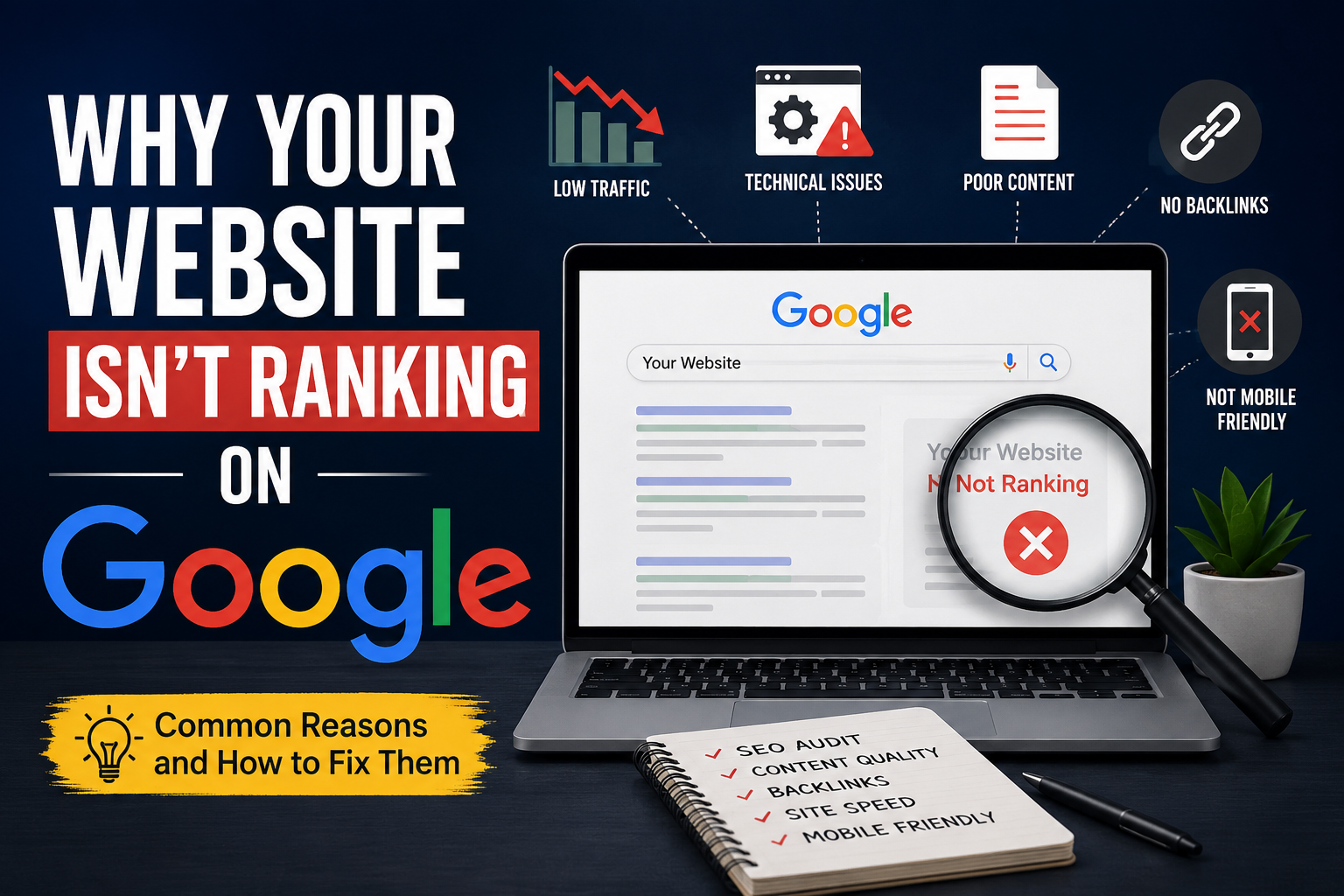
In today’s digital world, having a website is no longer enough. You can build a beautiful website, publish amazing products or services, and still struggle to attract visitors. The biggest frustration for many business owners is realizing that their website isn’t showing up on Google when potential customers search for relevant keywords.
If you’ve been wondering why your website isn’t ranking on Google, you’re not alone. Thousands of websites fail to gain visibility because of avoidable SEO mistakes, technical issues, poor content strategies, and outdated optimization techniques.
The good news? Most ranking problems can be fixed.
In this comprehensive guide, we’ll explore the most common reasons websites fail to rank and provide actionable solutions to help you improve Google rankings, increase organic traffic, and build a stronger online presence.
Understanding How Google Rankings Work
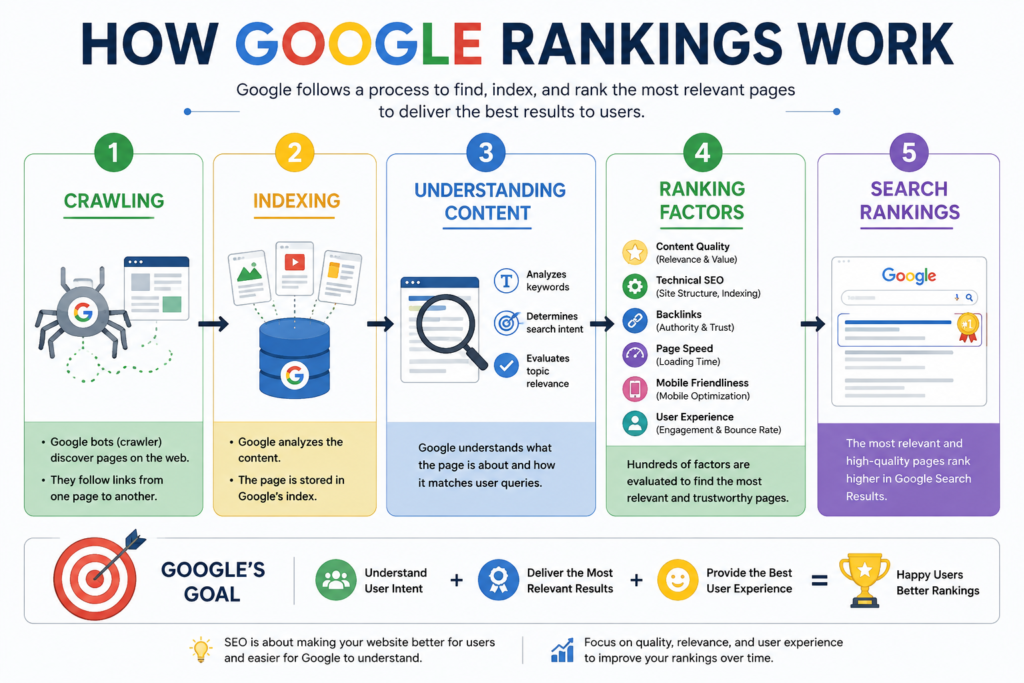
Before identifying the problems, it’s important to understand how Google determines rankings.
Google uses hundreds of ranking signals to evaluate websites. These signals include:
- Content quality
- Website indexing
- Technical SEO
- Backlinks
- Mobile usability
- Page speed
- User experience
- Search intent
- Website authority
Google’s primary goal is simple: deliver the most relevant and useful results to users.
If your website fails to meet Google’s expectations in one or more of these areas, ranking becomes difficult.
H2: Your Website Is Not Indexed by Google
One of the most common reasons websites don’t rank is surprisingly simple: Google hasn’t indexed them.
H3: What Is Website Indexing?
Website indexing is the process where Google discovers, crawls, and stores your webpages in its database.
If a page isn’t indexed, it cannot appear in search results.
H4: Signs Your Website Isn’t Indexed
You can check indexing status by searching:
site:yourdomain.com
If no pages appear, Google may not have indexed your site.
H5: How to Fix Indexing Issues
- Submit your sitemap through Google Search Console.
- Request indexing manually.
- Ensure robots.txt isn’t blocking important pages.
- Remove accidental “noindex” tags.
- Create internal links to important pages.
A proper website SEO audit can quickly identify indexing problems before they affect rankings.
H2: Technical SEO Problems Are Holding You Back
Many websites have hidden technical issues that prevent search engines from properly understanding their content.
H3: Common Technical SEO Issues
Broken Links
Broken links create poor user experiences and waste crawl budget.
Duplicate Content
Google may struggle to determine which page should rank.
Crawl Errors
Pages returning 404 or server errors can impact overall website performance.
Poor Site Architecture
If search engines cannot navigate your site efficiently, rankings may suffer.
H4: How to Fix Technical SEO Issues
Perform regular technical SEO audits using tools like:
- Google Search Console
- Screaming Frog
- Ahrefs
- SEMrush
Focus on:
- Fixing broken links
- Redirecting outdated URLs
- Improving internal linking
- Removing duplicate content
- Creating a clear website structure
Technical SEO forms the foundation of successful search engine optimization.
H2: Your Content Isn’t High Quality
Content remains one of the strongest Google ranking factors.
Unfortunately, many websites publish content simply to fill pages rather than help users.
H3: What Google Considers Low-Quality Content
Google may downgrade content that is:
- Thin or too short
- AI-generated without value
- Outdated
- Poorly researched
- Keyword stuffed
- Duplicate
H3: What High-Quality Content Looks Like
Strong content demonstrates:
- Experience
- Expertise
- Authoritativeness
- Trustworthiness
These principles align with Google’s E-E-A-T guidelines.
H4: How to Improve Content Quality
Instead of writing for search engines, write for people.
Focus on:
- Solving real problems
- Providing examples
- Adding statistics
- Updating old articles
- Answering user questions
For example, if you run a digital marketing agency, don’t just explain SEO. Show real-world results, case studies, and practical examples.
Google rewards content that genuinely helps users.
H2: You’re Targeting the Wrong Keywords
Many website owners choose keywords based on search volume alone.
That’s a mistake.
H3: Why Keyword Targeting Matters
Imagine trying to rank for:
“SEO”
This keyword is extremely competitive.
A new website has almost no chance of outranking major industry websites.
H4: Better Approach
Target long-tail keywords such as:
- Why your website isn’t ranking on Google
- How to improve Google rankings
- Website SEO audit checklist
- Technical SEO mistakes
Long-tail keywords often:
- Have less competition
- Convert better
- Match user intent more accurately
H5: Keyword Research Tips
Use tools like:
- Google Keyword Planner
- Ahrefs
- SEMrush
- Ubersuggest
Look for keywords with:
- Good search volume
- Lower competition
- Strong relevance
H2: You Don’t Have Enough Quality Backlinks
Backlinks remain one of Google’s most important ranking signals.
A backlink is simply a link from another website pointing to yours.
H3: Why Backlinks Matter
Backlinks act like votes of confidence.
When trusted websites link to your content, Google sees your website as more authoritative.
H4: Common Backlink Mistakes
- Buying low-quality links
- Using spammy directories
- Participating in link schemes
These tactics can lead to penalties.
H4: How to Build Quality Backlinks
Create link-worthy content such as:
- Industry studies
- Case studies
- Statistics pages
- Ultimate guides
Additional strategies include:
- Guest posting
- Digital PR
- Resource page outreach
- Broken link building
Quality always beats quantity.
H2: Your Website Loads Too Slowly
Website speed directly affects rankings and user experience.
Nobody wants to wait 10 seconds for a page to load.
H3: Why Speed Matters
Research consistently shows that slower websites experience:
- Higher bounce rates
- Lower engagement
- Reduced conversions
Google uses page speed as a ranking factor.
H4: How to Improve Website Speed
Optimize:
- Images
- JavaScript
- CSS files
- Hosting performance
Other recommendations:
- Use caching
- Enable compression
- Implement a CDN
- Upgrade hosting plans
H5: Speed Testing Tools
Measure performance with:
- Google PageSpeed Insights
- GTmetrix
- Pingdom
Faster websites generally provide better user experiences and stronger SEO performance.
H2: Your Website Isn’t Mobile Friendly
Mobile-first indexing means Google primarily evaluates the mobile version of your website.
If your mobile experience is poor, rankings can suffer.
H3: Common Mobile SEO Issues
- Text too small
- Buttons too close together
- Slow loading pages
- Broken layouts
- Poor navigation
H4: Mobile Optimization Tips
Ensure your website:
- Uses responsive design
- Loads quickly on smartphones
- Has readable text
- Features easy navigation
A seamless mobile experience can significantly improve Google rankings.
H2: Poor User Experience Is Affecting Rankings
Google pays close attention to user behavior signals.
If visitors quickly leave your website, Google may interpret this as a sign that your content isn’t meeting expectations.
H3: Signs of Poor User Experience
- High bounce rates
- Low engagement
- Confusing navigation
- Intrusive popups
- Difficult page layouts
H4: Improving User Experience
Focus on:
- Clear navigation
- Fast loading pages
- Easy-to-read content
- Internal linking
- Strong calls-to-action
Think about the user journey from beginning to end.
Every click should feel effortless.
H2: Local SEO Problems Are Limiting Visibility
Many businesses overlook local SEO opportunities.
This is especially problematic for companies serving specific geographic areas.
H3: Common Local SEO Mistakes
- Missing Google Business Profile
- Inconsistent business information
- Lack of local keywords
- Few customer reviews
H4: Local SEO Best Practices
Optimize your:
- Google Business Profile
- Business citations
- Local landing pages
- Customer review strategy
Include location-based keywords naturally throughout your website.
For example:
- Digital marketing agency in Delhi
- SEO services in Ghaziabad
- Website development company near me
Local SEO can generate highly targeted organic traffic.
H2: Google Algorithm Updates Have Impacted Your Rankings
Google releases algorithm updates regularly.
Some updates are minor.
Others dramatically change search rankings.
H3: How Algorithm Updates Affect Websites
Websites may lose rankings if they:
- Publish low-quality content
- Have poor user experience
- Use outdated SEO tactics
- Lack authority
H4: How to Recover
Instead of chasing every update:
- Focus on quality content
- Improve user experience
- Build authority
- Follow SEO best practices
Websites built around long-term value usually recover faster.
H2: You’re Not Performing Regular SEO Audits
SEO is not a one-time task.
Websites constantly change.
Competitors improve.
Google updates its algorithms.
H3: Why SEO Audits Matter
A comprehensive website SEO audit helps identify:
- Technical SEO issues
- Content gaps
- Broken links
- Indexing problems
- Keyword opportunities
H4: Recommended Audit Schedule
Perform:
- Monthly technical audits
- Quarterly content audits
- Annual comprehensive SEO reviews
Regular audits help prevent small issues from becoming major ranking problems.
H2: Action Plan to Improve Google Rankings
If your website isn’t ranking, follow this roadmap:
- Verify indexing status.
- Fix technical SEO issues.
- Improve content quality.
- Target better keywords.
- Build quality backlinks.
- Increase website speed.
- Optimize for mobile devices.
- Improve user experience.
- Strengthen local SEO.
- Conduct regular SEO audits.
Consistent improvements often produce better results than quick fixes.
FAQ: Why Your Website Isn’t Ranking on Google
1. How long does it take for a website to rank on Google?
Most websites take between 3 to 6 months to see meaningful SEO results. Highly competitive industries may require longer.
2. Can a new website rank quickly?
Yes, but typically only for low-competition keywords. Building authority takes time.
3. How do I know if Google has indexed my website?
Search “site:yourdomain.com” on Google or check Google Search Console for indexing status.
4. Are backlinks still important in SEO?
Yes. Backlinks remain one of the strongest Google ranking factors when they come from authoritative and relevant websites.
5. Does website speed affect rankings?
Absolutely. Faster websites provide better user experiences and can improve search visibility.
6. What is the biggest SEO mistake website owners make?
Ignoring search intent. Many websites focus on keywords without understanding what users actually want.
7. How often should I perform an SEO audit?
A technical audit every month and a full SEO audit every quarter is generally recommended.
Conclusion
If you’ve been asking yourself why your website isn’t ranking on Google, the answer is rarely just one issue. More often, it’s a combination of technical SEO problems, weak content, poor keyword targeting, limited backlinks, slow performance, and user experience challenges.
The good news is that every one of these issues can be fixed.
Start with a thorough website SEO audit, identify your biggest weaknesses, and make consistent improvements over time. Search engine optimization is a long-term investment, not an overnight solution.
By focusing on high-quality content, technical excellence, user satisfaction, and Google’s E-E-A-T principles, you’ll be in a much stronger position to improve Google rankings, increase organic traffic, and build sustainable online growth for years to come.




Leave a Reply